Refresh before a call
Use Refresh dashboard before a war push, chain start, payout review, recruiting session, or leadership check. This reduces decisions based on old summary data.
The command dashboard is the starting point for faction operations. It summarizes the areas that may need attention, then sends you to the detailed tool for the actual work.
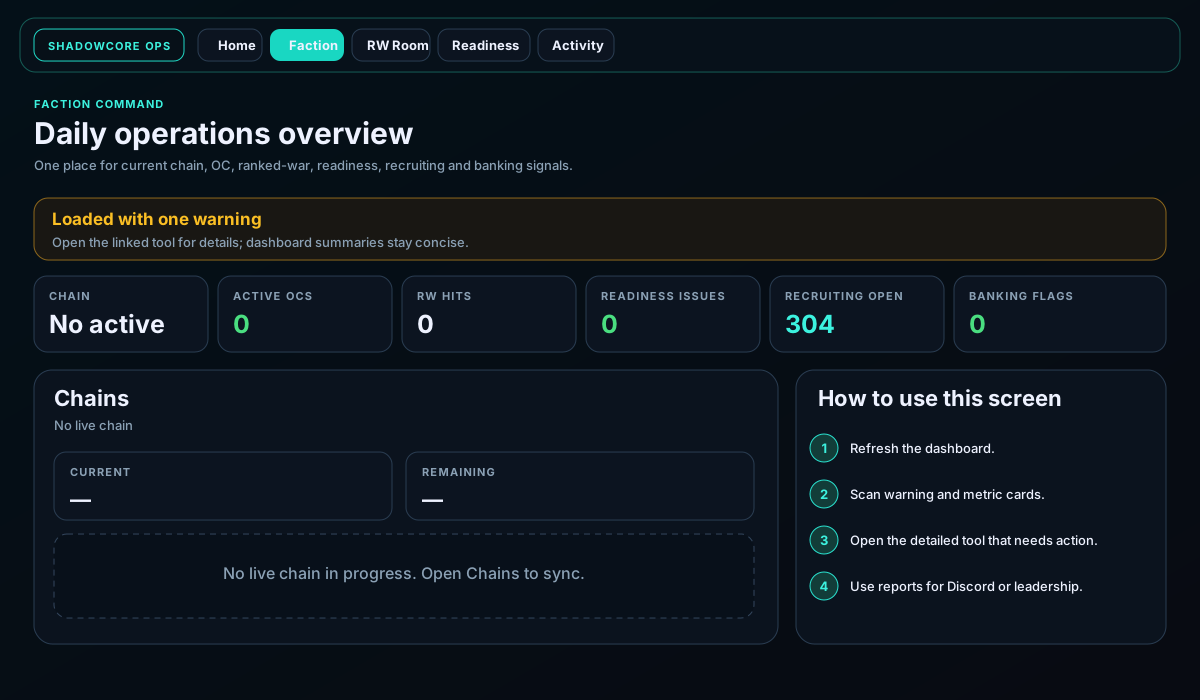
Use the dashboard as a rapid scan, not as the final source for every decision. It answers “where should I look next?” by summarizing chains, organized crimes, ranked-war activity, readiness issues, recruiting workload, and banking flags.
Use Refresh dashboard before a war push, chain start, payout review, recruiting session, or leadership check. This reduces decisions based on old summary data.
A warning does not always mean the whole site is broken. It usually points to one source or one connected tool. Open the named tool to see the detailed error or missing requirement.
Open Readiness for member blockers, Activity for timing patterns, Recruiting for prospects, Banking for payouts and vault projection, Armory for shared items, or RW Room for targets and callouts.
Use the detailed page's copy, export, payment, target-call, or status controls. The dashboard is designed to route you into those actions quickly.
Understand scores, bars, snapshot age, location, cooldowns, HQ activity, and blockers.
Open guideLoad enemy data, prioritize targets, review status, and prepare clean callouts.
Open guideRead the heatmap, compare Torn and local time, and choose stronger operating windows.
Open guideBuild a shared prospect pipeline with enrichment, notes, tags, and contact status.
Open guideReview the current vault, calculated payouts, projected balance, pay links, and status.
Open guideReview automatic faction sync, inventory, loans, movement, reports, and usage.
Open guide